Last Updated: 9/20/2026 | Updated for 2026
Fact checked by: FreshMags editorial review
Disclosure: This is independent editorial content. It contains no affiliate links or sponsored placements.
Accuracy note: All information verified as of 9/20/2026. Prices and free plan limits change often, so confirm details on each vendor’s site.
Key Takeaways
→ The core tools for small businesses cover eight jobs: accounting, payments, CRM, productivity, chat, tasks, marketing, and security.
→ You can start a real stack for $0 to about $50 a month.
→ Adopt tools in this order: money first, customers second, operations third, growth last.
→ Score every tool before you buy it, using the Tools for Small Businesses Matrix in this guide.
→ Prices for the same plan vary across sources, so always verify on the vendor’s own page.
Introduction
About half of new U.S. employer businesses are gone within six years, according to Bureau of Labor Statistics data showing that 78.7% survive the first full year and only around half last to year six (BLS, 2025). Software is rarely the only cause. But scattered apps waste the two things new owners lack most: time and cash.
Choosing the right tools for small businesses is one of the few decisions you can fix in an afternoon. Pick well and you get paid faster, follow up with customers on time, and see your numbers clearly. Pick badly and you pay for five apps that do not talk to each other.
This is the most comprehensive guide to tools for small businesses available in 2026. For the most up to date information, bookmark this page.
In this guide you’ll learn
→ What small business tools are and which ones you truly need
→ The top 10 business tools, compared with prices and scores
→ The best free tools for small businesses
→ A simple scoring method to judge any tool in minutes
→ How to build a stack by business stage
→ Which business ideas fit 2026, including one you can start with no money
Let’s start with the table of contents.
Table of Contents
- What Are Tools for Small Businesses?
- Why Tools for Small Businesses Matter in 2026
- Best Small Business Tools by Category (2026)
- Tools for Small Businesses Comparison (2026)
- Free Tools for Small Businesses (2026)
- How to Choose Business Tools in 5 Steps
- Essential Small Business Tools by Stage
- Common Mistakes to Avoid
- Real World Example: Before and After
- Business Ideas for 2026 and the Tools to Run Them
- FAQ: People Also Ask
- Conclusion
What Are Tools for Small Businesses?
What are tools for small businesses? They are apps and services that help a small company run daily work, get paid, and find customers. Below are the definitions, then the full list.
Small Business Tools, Defined
Small business tools are defined as digital apps and services that organize or automate core tasks such as bookkeeping, sales tracking, communication, and marketing. They range from free single purpose apps to paid suites. Compared with enterprise software, they favor low cost, fast setup, and little training.
Business Software for Small Businesses
Business software for small businesses refers to cloud based programs sized for teams of roughly 1 to 50 people. Most run in a web browser and bill monthly per user. Common types include accounting, CRM, project management, and payment software.
What Tools Do Small Businesses Need?
What tools do small businesses need? Small businesses need eight core tool types. Here is the checklist of essential small business tools:
→ Accounting and invoicing: tracks income, expenses, and taxes.
→ Payments: accepts cards, links, and online checkout.
→ CRM: stores contacts and deals so no lead gets lost.
→ Productivity suite: business email, documents, calendar, storage.
→ Team chat and video: keeps staff and contractors connected.
→ Task and project management: shows who does what by when.
→ Marketing and design: email campaigns, social posts, flyers.
→ Security: a password manager and two factor login.
A CRM (customer relationship management system) is defined as software that stores contact details, tracks deals, and logs every customer interaction in one place.
Quotable: A small business does not need more software. It needs one tool for each job.
Why Tools for Small Businesses Matter in 2026
Tools matter because small firms run lean, and every hour counts. The scale is large: the SBA Office of Advocacy reports that the number of small businesses in the U.S. exceeds 36 million (SBA Office of Advocacy, 2025). Most of those owners handle sales, books, and service themselves. sba
The Real Cost of Getting It Wrong
Early years are the riskiest. Using SBA Office of Advocacy tabulations of BLS data, one analysis found that 67.7% of new employer establishments survive two years and 49.2% survive five (SBA Office of Advocacy and BLS, 1994 to 2022 average). lonelyentrepreneur
Complexity also blocks adoption. One industry analysis says roughly 50% of businesses with fewer than 10 employees still do not use a CRM, and complexity is the top reason (SupportBee, 2026). So simple tools beat powerful tools for new owners.
Quotable: Tools do not create demand, but they protect the cash and time you need to find it.
What Is the #1 Reason Small Businesses Fail?
What is the #1 reason small businesses fail? The most cited cause is a lack of real customer demand, often called poor product market fit. CB Insights’ 2014 review of failed startups put “no market need” at 42%. Its 2024 update of 431 failed venture backed companies found 43% failed from poor product market fit, and running out of capital showed up as the final cause in 70% (CB Insights, 2024).
One caution: those samples are venture backed startups, not corner shops. Treat them as a guide for new ventures, not a census of Main Street.
Here is where tools help. A CRM shows whether customers keep coming back. Accounting software shows how many months of cash you have left.
The SaaS Sprawl Problem
SaaS sprawl is defined as the buildup of overlapping subscription apps that store data in separate places. No code platform vendors such as Knack argue that point solutions become data silos that make a return on investment hard to reach.
They have a point. But suites carry tradeoffs too, since a bundled tool is often weaker in each single area. My rule is simple: one job, one tool.
Best Small Business Tools by Category (2026)
The best small business tools are the ones your team opens every day. Here are the leaders by category, with alternatives.
Accounting and Invoicing
QuickBooks is the default pick for many U.S. owners. It covers expense tracking, invoicing, tax calculation, and financial reports, and Xero and FreshBooks are the usual alternatives. Wave offers a free starter plan for very small operations. it
Pro Tip: Ask your accountant which platform they prefer before you buy. Sharing one system saves hours at tax time. For recordkeeping basics, see the IRS Small Business and Self Employed Tax Center. For more money guides, browse FreshMags Finance.
CRM and Sales
HubSpot CRM wins for beginners because it offers a free plan with powerful features, which makes it ideal for startups. Zoho CRM, Pipedrive, and Freshsales are solid paid options. Salesforce fits larger teams that can afford setup time.
Projects, Chat, and Productivity Suites
Trello keeps tasks on simple boards. Asana and Notion suit teams that want more structure. Slack and Microsoft Teams handle chat. Google Workspace and Microsoft 365 give you a professional email domain, documents, and storage.
Marketing, Payments, and Security
Canva covers design, and Mailchimp covers email lists. Stripe and Square take payments. Bitwarden and 1Password protect logins. For a security checklist written for small firms, see NIST small business cybersecurity.
Tools for Small Businesses Comparison (2026)
This section answers the question owners ask most: what are the top 10 business tools?
Top 10 Business Tools at a Glance
What are the top 10 business tools? The top 10 are QuickBooks, HubSpot CRM, Google Workspace, Trello, Slack, Canva, Mailchimp, Stripe, Bitwarden, and Calendly. Here is how they compare.
Tools for Small Businesses Comparison: Top Options at a Glance
| Option Name | Key Feature | Best For | Price/Cost (USD, approx.) | Matrix Score (out of 25) |
| QuickBooks Online (accounting) | Invoicing, bank feeds, tax reports | Owners who work with a CPA | About $35 to $38 per month entry plan; trial available | 21 |
| HubSpot CRM (CRM) | Free contact, deal, and email tracking | New teams tracking leads | Free core plan; paid seats from about $9 per month | 23 |
| Google Workspace (productivity) | Business email, docs, storage, video | Any team wanting a branded email | About $6 to $9.20 per user per month | 22 |
| Trello (tasks) | Simple card boards | Visual thinkers and tiny teams | Free plan; paid plans start at a few dollars per user | 22 |
| Slack (chat) | Channels, files, app connections | Remote or mixed teams | Free plan with limits; paid from about $9 per user | 21 |
| Canva (design) | Templates for posts, flyers, decks | Owners without a designer | Free plan; Pro about $15 per month | 21 |
| Mailchimp (email marketing) | Campaigns and audience tools | Building a customer list | Free plan with limits; paid tiers scale with contacts | 19 |
| Stripe (payments) | Online card payments and payment links | Online sales and services | Standard U.S. rate: 2.9% plus 30 cents per online card charge | 20 |
| Bitwarden (security) | Password manager with a free tier | Every business | Free plan; paid plans are low cost | 22 |
| Calendly (scheduling) | Booking links tied to your calendar | Service businesses | Free basic plan; paid from about $10 per seat | 22 |
Winner: HubSpot CRM takes the top score (23 out of 25) for best overall value, because a free core plan removes the biggest barrier for new teams. For a solo founder who only needs one paid tool, choose accounting software first.
Scores are editorial ratings from the Matrix below, based on public plan details. They are not user review averages.
Original Research: The Price Drift Check
Our Data: While updating this guide on 9/20/2026, I compared entry plan prices for the same products across vendor pages and comparison sites. The gaps were large:
→ Google Workspace Business Starter appeared at $6 per user per month on annual billing in one guide, $8.40 on Google’s own flexible plan page, and $9.20 on another tracker. That is up to 53% higher than the lowest quote.
→ QuickBooks Simple Start was quoted at $35 per month after a May 2026 increase in one source and $38 per month in another.
→ Xero’s entry plan ranged from $13 to $25 per month, depending on the source and promotion. Google Workspace Pricing 2026: Plans, Costs & Hidden Fees – SoftVerdict +6
The lesson: never budget from a blog post, including this one. Check the vendor’s pricing page and ask about annual versus monthly billing.
Our Pick by Business Type
→ Solo freelancer: Wave or QuickBooks, Google Workspace, Stripe, Calendly.
→ Local service business: QuickBooks, HubSpot CRM, Calendly, Canva.
→ Online seller: Stripe or Square, Mailchimp, Canva, accounting software.
→ Small team of 5 or more: Add Slack and Trello or Asana.
Free Tools for Small Businesses (2026)
Free tools for small businesses let you test a workflow at zero cost. They work best in the first six months.
A $0 Starter Stack
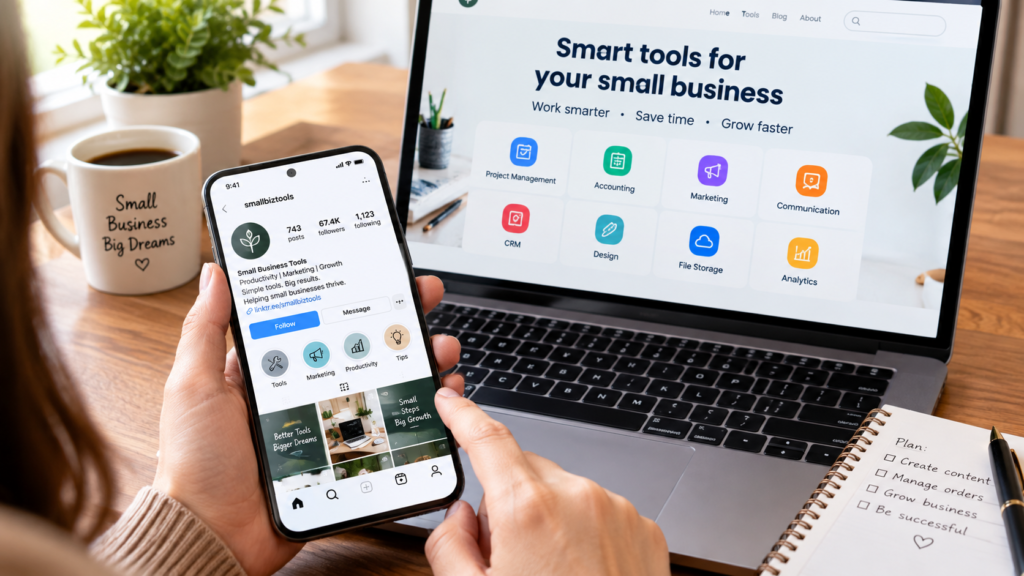
→ HubSpot CRM: contacts and deals
→ Trello or Notion: tasks and notes
→ Canva: design
→ Wave: invoicing and bookkeeping
→ Bitwarden: passwords
→ Google Analytics: website traffic
→ Calendly (basic): appointment booking
Where Free Plans Run Out
Free plans usually cap users, automations, storage, or reports. One comparison noted that Wave’s free tier has become restricted, which shows how quickly limits can change. Upgrade only when a limit blocks real work.
Free Plan or Free Trial?
A free plan never expires but limits features. A free trial unlocks everything for a short time, such as QuickBooks’ 30 day trial. Use trials for tools you already know you need, and free plans for tools you are still testing.
Pro Tip: Set a calendar reminder for the day before a trial ends. Cancel then, not after the first charge.
How to Choose Business Tools in 5 Steps
Good business tools for small businesses pass three tests: they fit your job, they fit your budget, and your team will actually use them. This section gives you two frameworks to test that.
The Tools for Small Businesses Matrix
The Tools for Small Businesses Matrix is a scoring method that rates each tool from 1 to 5 on five factors, for a total out of 25:
→ Fit: does it solve a job you have today?
→ Cost: is the real price, including add ons, affordable?
→ Ease: can you be productive within a day?
→ Integrations: does it connect to your email, accounting, and payments?
→ Exit: can you export your data if you leave?
A score of 20 or more is strong. A score of 15 to 19 is acceptable. Under 15, walk away.
The 5 Step Tools for Small Businesses System
The 5 Step Tools for Small Businesses System is a simple process for building a stack without waste:
Step 1: List your jobs. Write down every repeating task, such as invoicing, follow ups, and booking.
Step 2: Assign one tool per job. Use the rule “one job, one tool” to avoid overlap.
Step 3: Score and test. Rate each candidate with the Matrix, then run a 14 day free trial.
Step 4: Connect your tools. Link payments to accounting and your calendar to your CRM.
Step 5: Review every quarter. Cancel anything nobody opened in 90 days.
The Tools for Small Businesses Pyramid
The Tools for Small Businesses Pyramid is a four layer order for adopting software. Security sits around all four layers.
→ Layer 1, Money: accounting and payments
→ Layer 2, Customers: CRM and scheduling
→ Layer 3, Operations: productivity suite, chat, and tasks
→ Layer 4, Growth: marketing, automation, and analytics
Quotable: Buy tools in the order the money flows: get paid, keep customers, run the work, then grow.
Essential Small Business Tools by Stage
Essential small business tools change as you grow. Start small and add layers.
Solo Founder or Freelancer
Use accounting, payments, scheduling, a productivity suite, a password manager, and Canva. That is six tools and roughly $0 to $50 a month.
Team of 2 to 10
Add a CRM, team chat, and a task board. This is the stage where spreadsheets and email threads start to break.
Team of 11 to 50
Add marketing automation, formal project management, and stronger access controls. Consider a suite if managing separate tools has become a job of its own.
Security and Tax Basics
Turn on two factor login everywhere and use a password manager. Keep receipts and records in one system. The SBA also publishes free guides on starting and funding a business.
Common Mistakes to Avoid
Buying Too Much Too Soon
New owners often subscribe to six tools in week one. Adopt one layer of the Pyramid at a time.
Ignoring Integrations and Exit
A tool that cannot connect to your accounting app creates double entry. A tool that locks your data in creates risk. Score both in the Matrix.
Skipping Security
One weak password can expose customer data. Use a password manager and two factor login.
Never Auditing Subscriptions
Review your software bill every quarter. Unused seats are the quietest leak in a small budget.
Real World Example: Before and After
This is an illustrative scenario with example numbers, not a real client.
Before: Five Apps and No Clarity
Ana runs a mobile pet grooming business. Customers book by text and Instagram messages. She writes invoices in a notes app and tracks income in a spreadsheet. She spends about six hours a week on admin, and she forgets follow ups.
After: One Stack With Clear Owners
Ana applies the 5 Step System. She uses Calendly for booking, Stripe payment links for cards, QuickBooks for books, and HubSpot CRM for repeat customers.
What Changed
Booking and payment now happen in one flow. Reminders go out on their own. In this example, admin time drops from six hours to about three, and repeat bookings rise because follow ups are no longer missed. Mobile pet grooming is also on Inc.’s list of ideas for 2026, as the next section shows.
Business Ideas for 2026 and the Tools to Run Them
New owners often ask about the business first and the tools second. Here are direct answers.
What Business Makes $1,000 a Day?
What business makes $1,000 a day? No business does so by default, and this number is usually revenue, not profit. It equals about $365,000 a year in sales if you sell every day.
Established trade services, restaurants, agencies, and ecommerce stores can reach that level with strong pricing and repeat customers. Results depend on location, competition, and costs. This is general information, not an income promise.
What Business Will Boom in 2026?
What business will boom in 2026? Service businesses tied to pets, health, aging, and AI adoption look strongest. Inc. listed mobile pet grooming, mobile physical therapy, and AI literacy services among its 25 best small business ideas for 2026 (Inc., 2026). Test demand locally before you commit. inc
Best Business to Start in 2026 With No Money
What is the best business to start in 2026 with no money? A skills based service is the safest choice, such as virtual assistant work, bookkeeping, or tutoring. Xero says service businesses like these often need under $500 and no inventory (Xero, 2026). xero
Run it on free tools: Wave for invoices, Calendly for booking, Canva for branding, and HubSpot CRM for leads.
What tools do small businesses need?
Most small businesses need accounting software, a payment processor, a CRM, a productivity suite, team chat, a task manager, basic marketing tools, and a password manager. Solo owners can start with accounting, payments, email, and a scheduling tool. Add the rest as you hire people or land more customers.
What are the top 10 business tools?
A strong top 10 is QuickBooks for accounting, HubSpot CRM, Google Workspace, Trello, Slack, Canva, Mailchimp, Stripe, Bitwarden, and Calendly. Together they cover money, customers, daily work, marketing, and security. Swap in Xero, Wave, Microsoft 365, or Asana if they fit your habits or budget better.
What is the #1 reason small businesses fail?
The most cited reason is building something the market does not need. CB Insights linked poor product market fit to 43% of startup failures in its 2024 review, with running out of cash as the final symptom in 70%. Validate demand first, then track your cash every week.
What business makes $1000 a day?
No business makes $1,000 a day by default, and that figure is usually revenue, not profit. Established trade services, restaurants, agencies, and ecommerce stores can reach it with strong pricing and repeat customers. It equals about $365,000 a year in sales if you sell every day. Results vary widely.
What business will boom in 2026?
Service businesses tied to pets, health, aging, and AI adoption look strongest. Inc. highlighted mobile pet grooming, home based health services, health coaching, and AI literacy training for 2026. Pick a niche where demand already exists near you, then test it with a small paid pilot before spending big.
What is the best business to start in 2026 with no money?
A skills based service business is the best no money option, such as virtual assistant work, bookkeeping, freelance writing, cleaning, or tutoring. Xero notes that service businesses often need under $500 to start. Use free tools for invoicing, scheduling, and design, and land your first paying client before you buy anything.
Which free tools for small businesses are best?
HubSpot CRM, Trello, Canva, Wave, Bitwarden, Google Analytics, and a basic Calendly plan are the most useful free picks. They cover contacts, tasks, design, invoicing, security, traffic data, and booking. Free plans change often, so check the limits before you build a process around one.
How much do tools for small businesses cost?
A lean starter stack costs from $0 to roughly $50 a month for one person. Paid accounting plus a productivity suite lands near $40 to $50. Costs rise with each added user, and prices shift often, so confirm current numbers on each vendor’s site before you subscribe.
Are tools for small businesses worth it?
Yes, when each tool replaces a manual task you actually do every week. Software pays off through saved hours, fewer missed invoices, and faster follow ups. It is not worth it when you buy features you never use. Start free, measure time saved for 30 days, then upgrade only what proves its value.
Is one platform better than separate tools?
It depends on your size. An all in one platform is simpler and cheaper to manage, but separate specialist tools usually go deeper in one area. Small teams often start with a suite, then add a specialist where revenue depends on it, such as a CRM for sales or accounting software for bookkeeping.
Conclusion
The best tools for small businesses are the ones that match your size, budget, and real workflow. Remember three things. First, adopt tools in Pyramid order: money, customers, operations, growth. Second, score every option with the Matrix before you pay. Third, verify prices on the vendor’s site, because they change and sources disagree.
Your next step is simple: choose the tools that fit your business needs, budget, and goals, and start with one layer today.
Quick Summary
→ Eight core tool types cover most small business needs.
→ A $0 to $50 monthly stack is realistic for a solo founder.
→ Use the Matrix to score tools and the 5 Step System to build your stack.
→ Poor product market fit, not weak software, is the most cited reason new ventures fail.
→ Check every price on the vendor’s own page.
Next Steps
→ List your five most repeated tasks this week.
→ Score two tools for your first task using the Matrix, then start a free plan.
→ Explore more guides at FreshMags and its Finance section.
About the Author
Laibii publisher is a business technology and small business software writer at FreshMags who researches and compares tools for U.S. small businesses. This article is based on public vendor pricing pages, government data, and published industry research, with methods described below. Learn more about the publication on the FreshMags About page



 By




 By